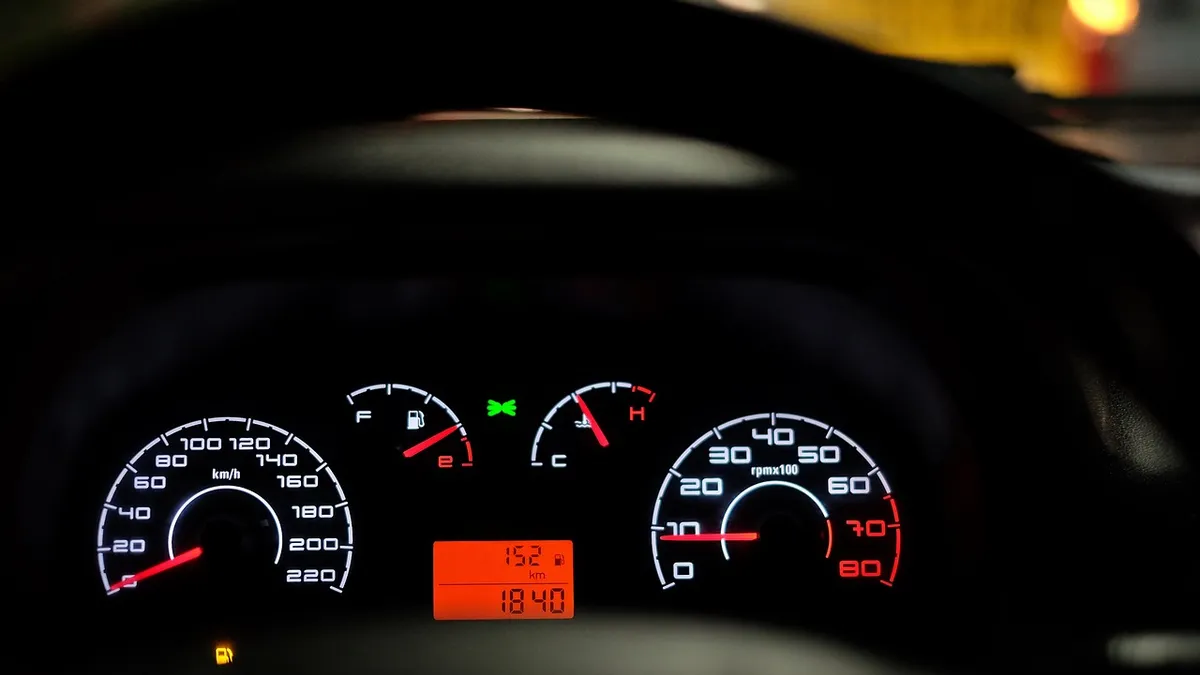

To use an OBD2 scanner, turn the ignition to ON (engine off, unless your scanner needs it running), plug the scanner into the 16-pin port under the dash near the steering column, select “Read Codes,” write down every code including pending ones, then look up what each one covers before deciding whether to fix it yourself or see a mechanic.
- The OBD2 port is a standardized 16-pin connector found on nearly all gasoline cars and light trucks sold in the US since the 1996 model year, usually under the dash on the driver’s side.
- Most scanners read codes with the key in the ON position and the engine off; a few need the engine running to show live data.
- Write down every code before clearing anything, and save the freeze frame data for each one — it shows what the engine was doing the moment the fault was recorded.
- A code tells you which system has a problem, not the exact part to replace. Treat it as a starting point for research, not a finished diagnosis.
- Clearing a code with a scanner turns the check engine light off immediately, but if the underlying problem is still happening, the light comes back within a few drive cycles.
What Do You Need Before Your First Scan?
You need the scanner itself (a plug-in code reader or a Bluetooth adapter paired with a phone app), a flashlight or phone light to see under the dash, and a pen or your phone’s notes app to record codes before you clear anything. Park on level ground, set the parking brake, and turn the engine off before you plug anything in.
If you’re using a Bluetooth adapter and it won’t pair with your phone, that’s a separate, common problem with its own fixes — see our Bluetooth OBD2 adapter pairing guide if you get stuck at that step.
Where Is the OBD2 Port in My Car?
On nearly every gasoline car and light truck sold in the US since 1996, the OBD2 port is a standardized 16-pin connector (SAE J1962) placed within reach of the driver’s seat, almost always under the dashboard on the driver’s side, close to the steering column. Some cars hide it behind a small flip-down panel, an ashtray, or a trim piece near the fuse box.
If you’ve checked under the dash and still can’t find it, don’t assume your car doesn’t have one — a small number of models put it in unusual spots. Our OBD2 port location guide covers a search pattern that works even when the port isn’t where you expect.
What Ignition Position Should the Car Be In?
For reading stored trouble codes, turn the key (or push the start button) to the ON position without starting the engine. This powers up the dashboard and the onboard computer without the engine running. Most handheld scanners and phone apps power on automatically as soon as they sense this and will prompt you through the next step.
A few diagnostic functions, like live sensor data (current engine speed, coolant temperature, oxygen sensor readings), only work with the engine running, because they show what’s happening in real time rather than what’s already stored. Check your scanner’s instructions for which mode you need; every OBD2 scanner’s menu layout is a little different, and the only way to know for certain is to read the one that came with your tool.
How Do You Read the Codes?
From the scanner’s main menu, choose an option like “Read Codes,” “Diagnostic Trouble Codes,” or “Health Report.” The scanner will connect to the car’s computer and display any codes currently stored. Write down every code shown, including any marked “pending,” before you do anything else — clearing them erases that record.
If the scanner connects but comes back with no codes at all, even though the check engine light is on, that’s a specific troubleshooting situation with its own set of likely causes. See our guide on what to check when the scanner shows no codes but the light is on. And if the scanner won’t connect to the car at all (no link, no response), that’s a different problem covered in our no-link-detected troubleshooting guide.
Why Save the Freeze Frame Data First?
When the onboard computer logs a fault, it also saves a “freeze frame”: a snapshot of what the engine was doing at that exact moment — engine speed, coolant temperature, vehicle speed, fuel trim, and similar values. This context can tell you whether a problem happens at idle, at highway speed, or when the engine is cold, which narrows down what to check next.
Look for “Freeze Frame” in the same menu area as the trouble codes, and write down (or photograph) the values before you clear any codes. Clearing codes also clears the freeze frame data tied to them, so once it’s gone, it’s gone until the fault happens again. Our freeze frame walkthrough shows a worked example of turning this snapshot into a diagnosis.
How Do You Look Up What a Code Means?
Every code starts with a letter showing the system (P for powertrain, B for body, C for chassis, U for network), followed by four digits. The scanner screen may show a short description next to the code, but it’s worth searching the exact code (for example, “P0420”) since the on-screen description is sometimes generic. Stick to the vehicle manufacturer’s own information when you can find it, or a source that explains the code’s intended meaning rather than a scanner-brand blog guessing at causes.
Federal vehicle emissions regulations also recognize code states beyond a single “trouble code” label — for example, codes that regulations describe as confirmed or permanent, which behave differently from a code that just appeared. Our pending vs. confirmed code guide breaks down what each status means and what to do about it. For a worked example of looking up one specific, very common code, see our P0420 code guide.
Should You Fix It Yourself or See a Mechanic?
A code points to a system, not necessarily a single failed part, so treat it as the start of your research rather than a finished diagnosis. As a general rule of thumb: a single code tied to something simple and well documented (a loose gas cap, a known-cheap sensor with a straightforward replacement in your owner’s manual or a repair guide) is reasonable to look into yourself if you’re comfortable with basic tools. Multiple codes at once, codes tied to safety systems, or a code you can’t find a clear, specific explanation for are better handled by a mechanic with a professional-grade scan tool.
A flashing check engine light (rather than one that stays on steady) is a widely used signal among mechanics that the problem is more urgent, such as an active engine misfire that can damage the catalytic converter if you keep driving — as a general precaution, avoid extended or high-speed driving until it’s checked.
First Scan Checklist: From Port to Decision
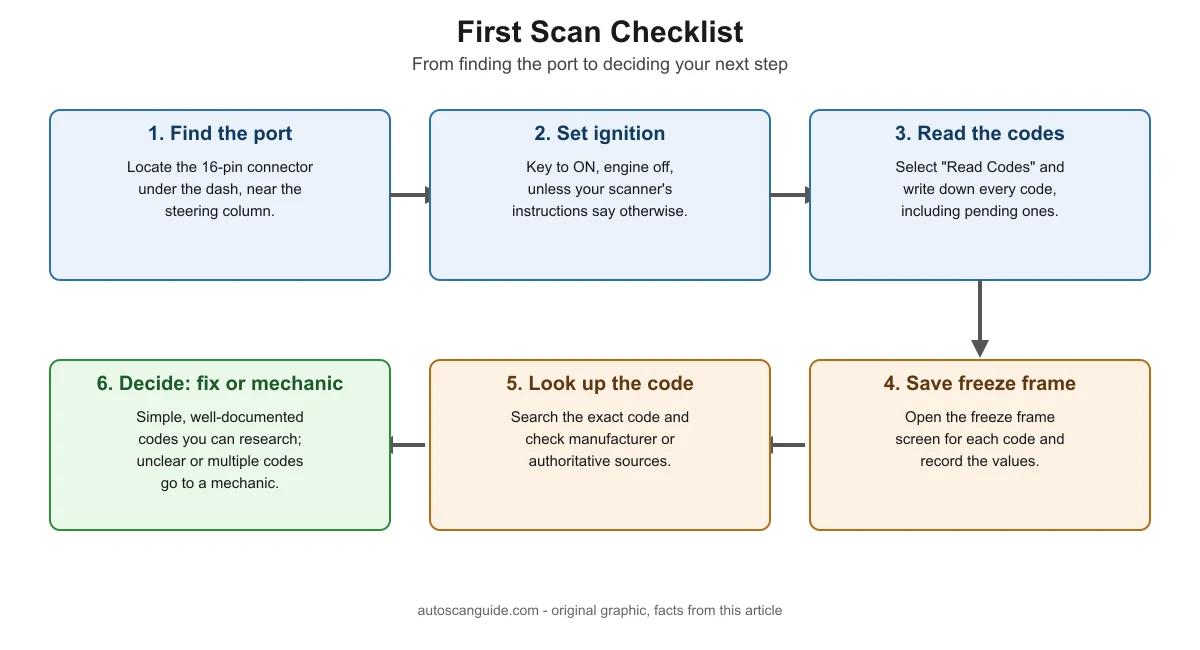
Here is the full first-time process in order, from finding the port to deciding your next step. The graphic below and the table underneath show the same six-step flow.
| Step | What to do | Why it matters |
|---|---|---|
| 1. Find the port | Locate the 16-pin connector under the dash, usually near the steering column. | You can’t scan anything until the scanner is physically connected. |
| 2. Set ignition position | Turn the key to ON with the engine off, unless your scanner’s instructions say otherwise. | Powers the onboard computer so the scanner can talk to it. |
| 3. Read the codes | Select “Read Codes” and write down every code shown, including pending ones. | This is your only full record before anything gets cleared. |
| 4. Save freeze frame data | Open the freeze frame screen for each code and record the values. | Shows the conditions when the fault happened, which narrows the cause. |
| 5. Look up the code | Search the exact code and check manufacturer or authoritative sources. | The scanner’s built-in description is often generic or incomplete. |
| 6. Decide: fix it or see a mechanic | Simple, well-documented single codes you can research; multiple or unclear codes go to a mechanic. | Avoids guessing on repairs that need professional tools or training. |
Does Clearing Codes With a Scanner Turn Off the Check Engine Light?
Yes. Choosing “Clear Codes” or “Erase Codes” on a scanner turns the check engine light off right away, because it deletes the stored trouble codes that were keeping the light on. It does not fix whatever caused the code in the first place. If the underlying problem is still present, the computer will detect it again as you drive and the light typically returns within one to a few drive cycles, once the relevant monitor re-runs its test.
This is different from disconnecting the car’s battery, which can reset some codes and the car’s learned adaptive values but behaves differently from a scanner’s clear-codes function. See our guide on disconnecting the battery vs. clearing codes for the difference. And if you’ve already cleared a code and the light has come back, our check engine light returns guide walks through what that timing usually means.
Frequently Asked Questions
Do I need the engine running to read codes with an OBD2 scanner?
No, not for reading stored trouble codes. Turn the key to ON with the engine off, and most scanners will power up and read codes from that position. You only need the engine running for live, real-time sensor data, such as current engine speed or live oxygen sensor readings, which some scanner menus separate from the basic “Read Codes” function.
Can a scanner damage my car if I plug it in wrong?
The OBD2 connector is keyed to fit only one way, so it’s difficult to plug it in incorrectly, and simply reading codes doesn’t send commands that change how the engine runs. As a general precaution, avoid forcing the connector if it doesn’t slide in easily, and don’t use a scanner’s “write” or “programming” functions unless you understand what they do, since those can change vehicle settings.
Why does my scanner say the codes are “pending” instead of just showing a code?
A pending code means the computer detected a possible fault once but hasn’t confirmed it across enough drive cycles to turn on the check engine light yet. It’s an early warning, and it can disappear on its own if the condition doesn’t repeat. Our pending vs. confirmed codes guide covers how each code status behaves.
Is it safe to drive with the check engine light on?
Often yes for a short time, since the light is meant to tell you service is needed rather than to signal an emergency. The exception is a flashing light, which is commonly treated as a sign of a more urgent problem like an active misfire; as a general rule of thumb, avoid extended driving until a scanner or mechanic has checked it.
Do I need a paid app or subscription to use a basic OBD2 scanner?
No. Reading and clearing basic trouble codes and freeze frame data is a core function built into almost every OBD2 scanner and the free tier of most companion apps. Paid tiers and subscriptions typically add extras like extended live-data graphing, manufacturer-specific codes, or saved vehicle history, which most first-time users don’t need for a basic scan.
Sources
- U.S. EPA, Frequently Asked Questions About On-Board Diagnostics (Environmental Fact Sheet) — checked November 2026
- U.S. EPA, Vehicle Emissions On-Board Diagnostics (OBD) — checked November 2026
- Cornell Law School, Legal Information Institute, 40 CFR § 86.1806-17, Onboard diagnostics — checked November 2026
autoscanguide.com Editorial Team. Last updated: November 12, 2026.

1 COMMENTS